LCOT: keep the SSH terminal and file browser in sync
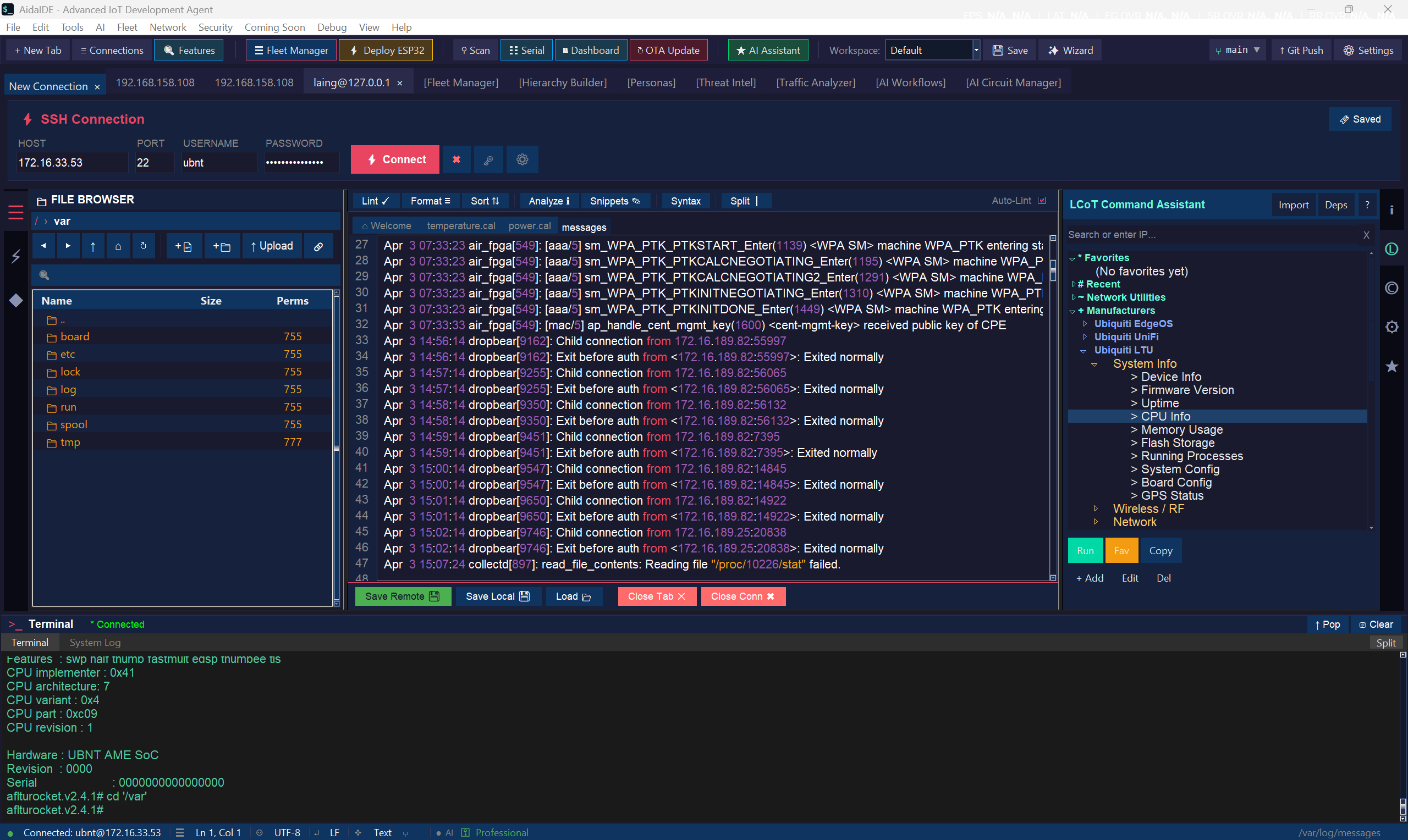
What is LCOT? LCOT stands for Local Chain of Thought — AidaIDE's categorised library of ready-made commands you run on the focused connection with one click. In practice it also keeps the terminal and SFTP file browser on a single SSH session, so cd, edit, and restart all happen on the same host without a second login.
LCOT (Local Chain of Thought) is AidaIDE’s 800+ one-click command library. The same-session workflow keeps the terminal and the SFTP file browser on one SSH login. You stop bouncing between PuTTY and WinSCP — edit, restart, and verify on the same host in one window. Glossary: What is LCOT?
Step 1 — Connect once
Unlock the vault, open a saved session. That connection is the shared transport. You should not get a second password prompt when the file browser opens.
Step 2 — Browse on the linked pane
The dual-pane browser walks the remote filesystem over SFTP on that same session. Change directories, open logs, jump to /etc — still the host you shelled into.
Step 3 — Edit in place
Open a config file in the editor, change it, save. The write goes over SFTP — no download-upload dance. Details and trade-offs vs VS Code Remote: edit remote files without downloading.
Step 4 — Restart and verify in the terminal
In the linked terminal pane:
- Restart the service (
sudo systemctl restart …) - Tail the log
- Confirm the change stuck
Why it matters on Pi / ESP / fleets: you are not installing a remote IDE server. The host only needs SSH + SFTP — the same bar PuTTY already required.
More context: What is LCOT? · LCOT docs · Replace PuTTY + WinSCP · SSH toolkit · AidaIDE vs WinSCP · Free forever core; Pro AI suite from $19/mo.
Try the LCOT workflow — free forever SSH + SFTP workspace.
Sign Up Free