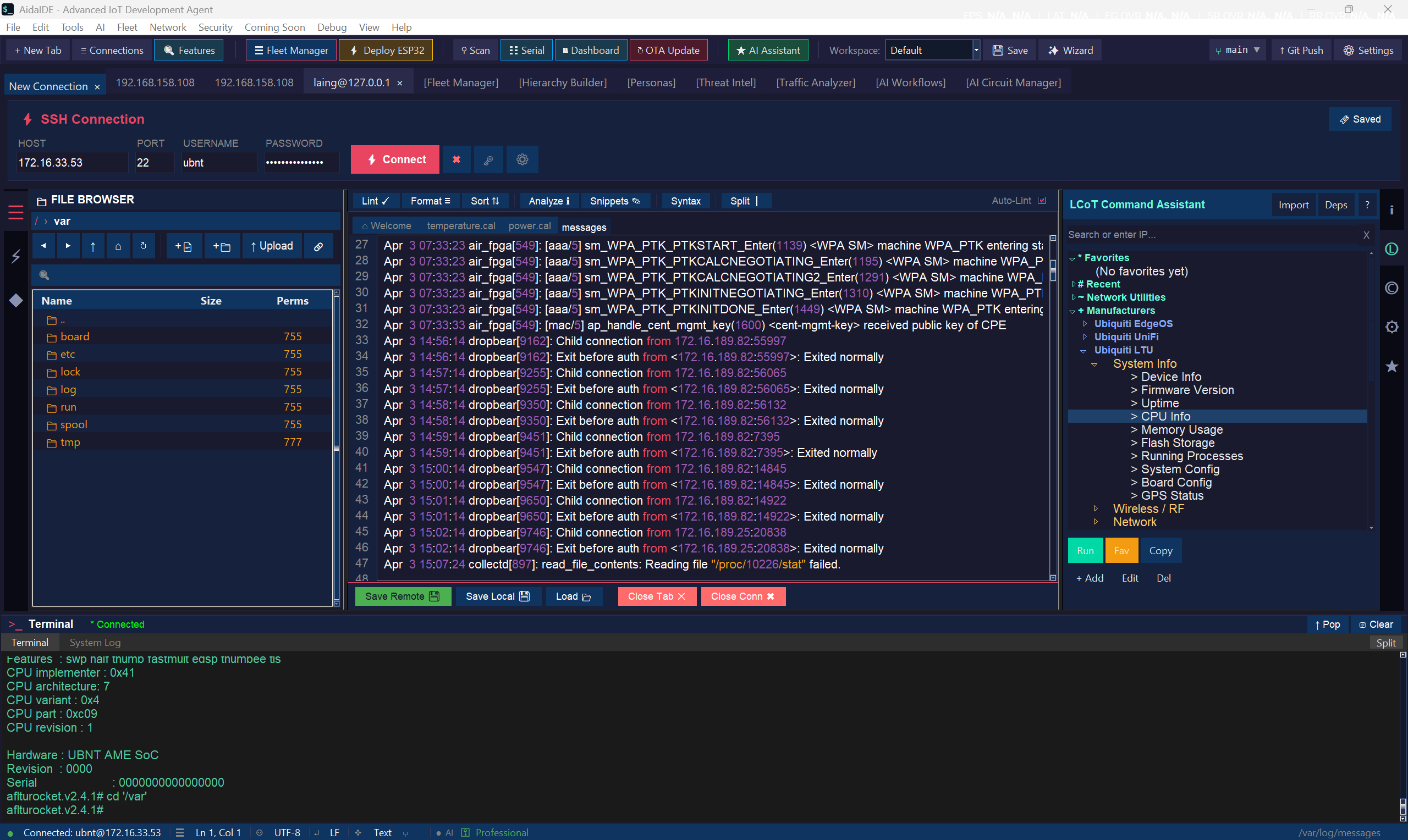
Tabbed sessions, integrated SFTP, encrypted saved profiles, and a file browser that's literally wired to the terminal. Plus jump hosts, session multiplexing, cloud tunneling, and serial — built into AidaIDE.
Most engineers run PuTTY + WinSCP + a serial app + an editor + a notebook of host IPs. AidaIDE collapses that into one workspace without dumbing any of it down.
SSH, SFTP, serial, VNC, RDP — every connection is a tab in the same window. No more six-app alt-tab choreography just to deploy one config.
Jump-host chains, session multiplexing, cloud tunneling for NAT-hidden devices, legacy-device fallback (old switches, locked-down routers), 10k-line ANSI scrollback.
Hosts, ports, usernames, key paths, jump chains, per-session terminal settings — all in the encrypted Credential Vault. Nothing in plaintext, and your .ssh/config never has to leave its own file.
SSH Engine drives the connection. File Manager moves bytes. Saved holds the keys. LCOT wires the two panes together so you stop typing the same cd twice.
Jump hosts, session multiplexing, cloud tunneling, ANSI terminal with 10k scrollback, legacy-device fallback, mDNS auto-discovery, serial + VNC + RDP in the same tab bar.
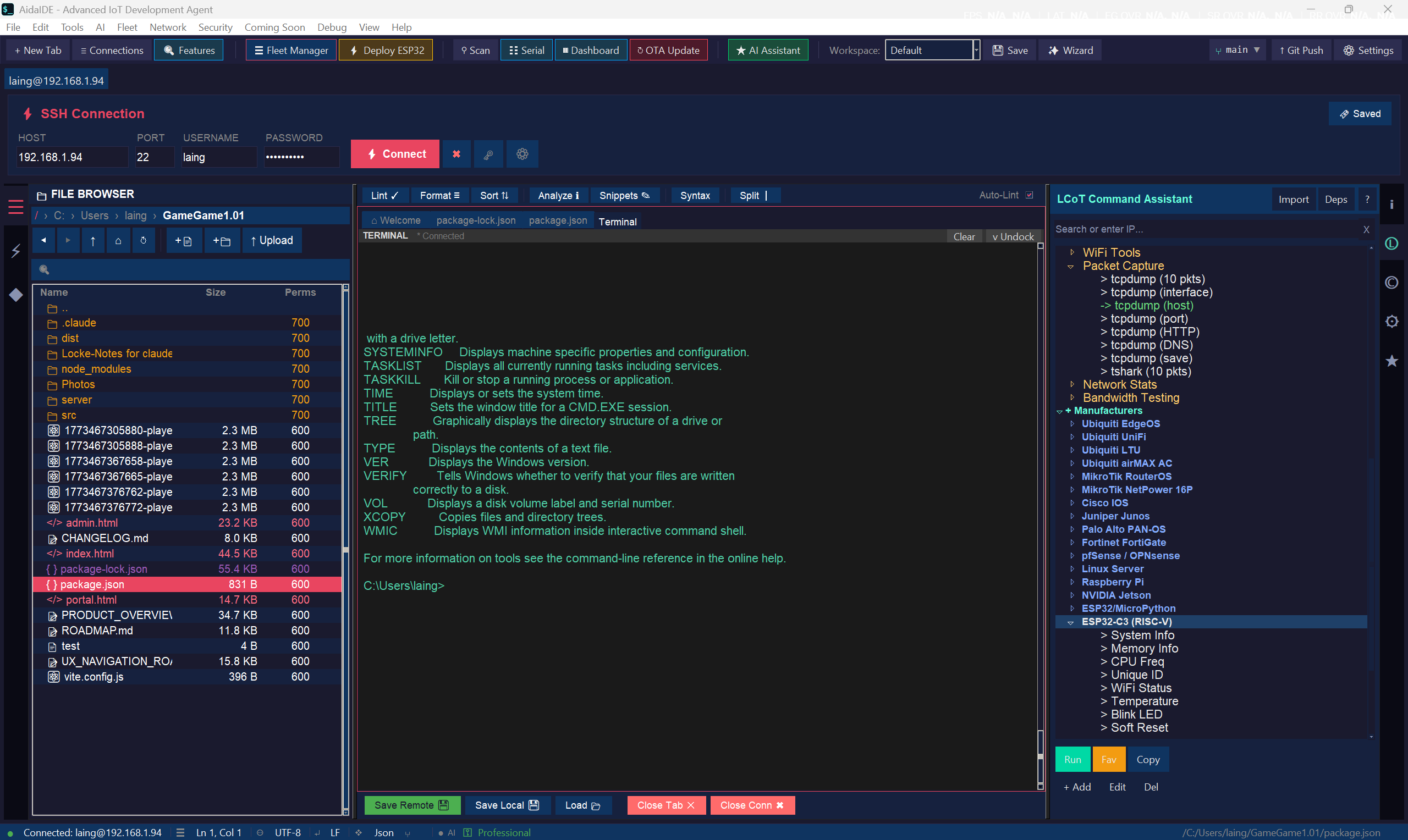
Local on the left, remote on the right. Drag-drop both ways, multi-select, keyboard-driven, and double-click a file to edit it over the wire with no temp-file shuffle.
Save host, port, user, key, jump chain, terminal size, color theme, and any session quirks. Stored in the AES-256 Credential Vault. One master password unlocks the whole fleet.
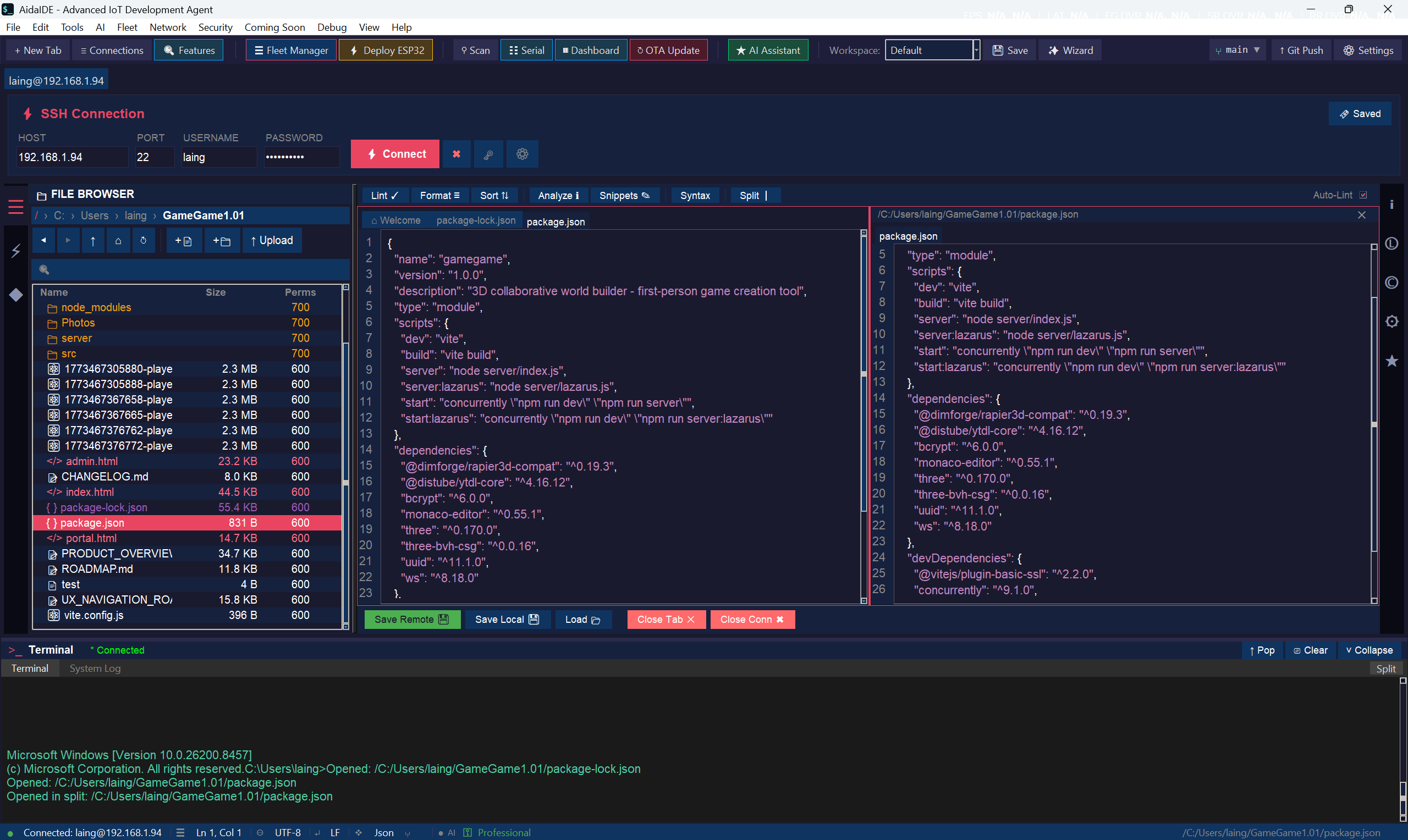
The file pane and the terminal stay in sync. cd in the terminal and the browser follows. Double-click a directory in the browser and the terminal jumps there. Works across remote SSH sessions.
Where most IDEs bolt on a basic SSH plugin, AidaIDE ships a full engine — the kind of features you'd otherwise hand-roll in a .ssh/config + screen + tmux sandwich.
Configure bastion → relay → target per session. Saved, encrypted, one-click open.
One TCP connection, many channels. Open ten tabs on the same host without re-handshaking each time.
Reach NAT-hidden devices through your own relay. No more "give me a port forward."
Old switches, locked-down routers, hardware that only speaks SSHv1-ish — automatic crypto downgrade with a clear warning, never silent.
Full ANSI, full colors, full mouse, full Unicode. Search history with Ctrl+F. Copy with the same shortcuts as everywhere else.
WinSCP-grade transfer, in-line with the terminal it's connected to. No alt-tab, no separate window, no separate auth.
Local tree on the left, remote tree on the right. Same shortcuts. Drag-drop both ways. Reads like a desktop file manager.
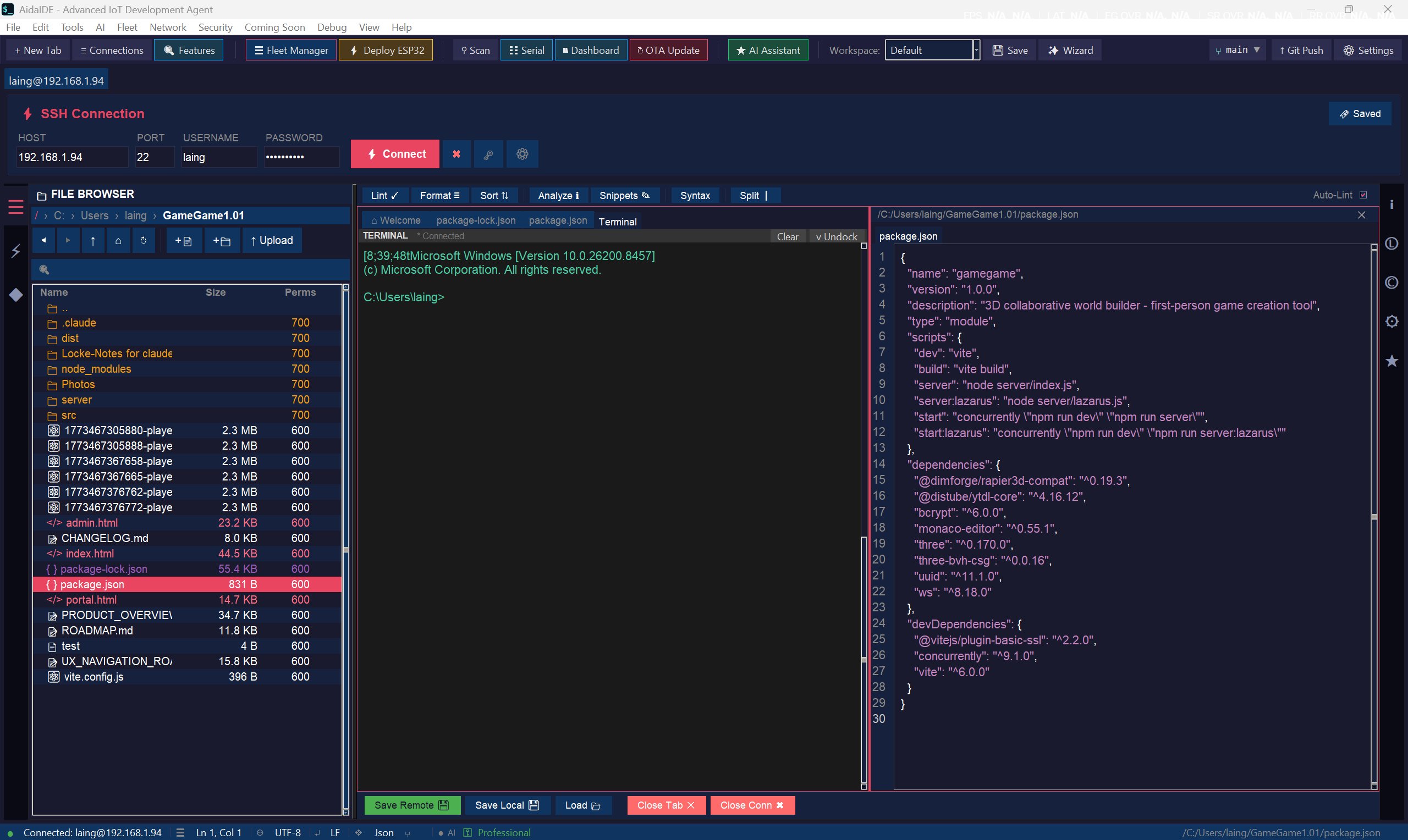
Double-click a remote file, edit it in the AidaIDE editor, save — the bytes go back over SFTP. No temp file, no manual upload step.
Shift-click, Ctrl-click, select all. Move, copy, chmod, chown across dozens of files in one go. Background queue with retry.
Find files by name or content over SFTP without dropping to the shell. Open the match, no extra cd / ls dance.
Every upload/download logged. Interrupted transfers resume on reconnect. No "starting from byte 0 again."
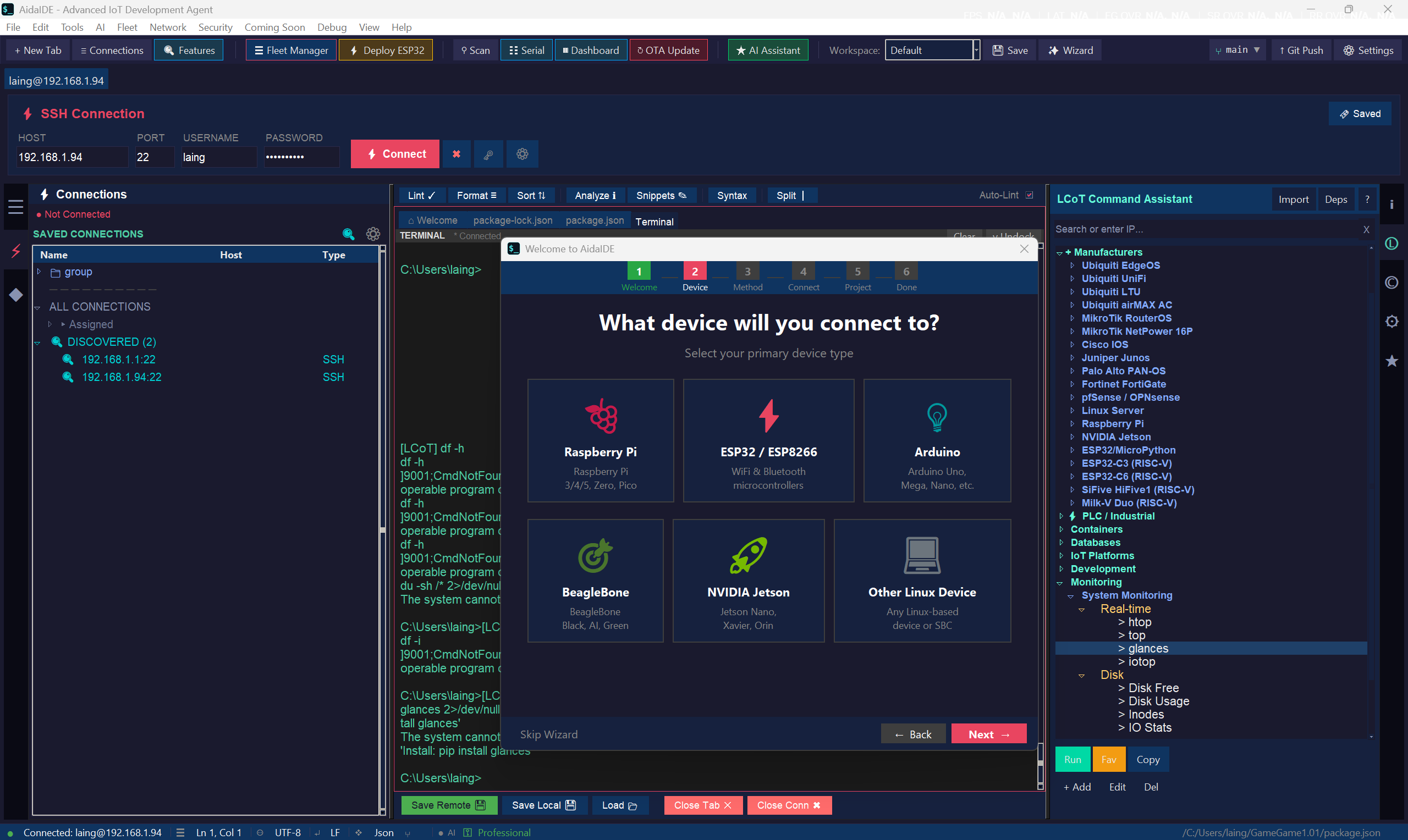
PuTTY-style saved sessions, except the entire library lives in a real AES-256 vault behind one master password — and saves a lot more than PuTTY does.
Hosts, ports, usernames, key file paths, jump-host chains, and per-session terminal preferences. All ciphertext on disk.
Link a saved session to a specific key. Optional passphrase prompt. Or unlock everything via the vault master password.
Group by environment, project, customer. Tag for fast filter. Search by hostname, IP, or tag.
Double-click anywhere in the saved list and a new tab opens with the connection already negotiated.
Pull in your existing .ssh/config and PuTTY registry entries. Re-encrypt them into the vault on first run.
Teams plan: shared encrypted session library across all 5 seats. Add a new host once, everyone has it.
Linked Connection and Output Terminal. Two panes, one cursor. The thing you didn't know you wanted until you used it for ten minutes.
Type cd /var/log in the terminal — the file browser jumps to /var/log. Double-click a folder in the browser — the terminal cd's there.
Each SSH tab has its own linked browser. Switch tab, the file pane retargets. No cross-talk between hosts.
See a file path in the terminal output? Drag it to the local pane to pull it down. Or right-click for "open / edit / download."
Don't want the linkage on a particular tab? One click un-links. The two panes stay independent until you turn it back on.
Click any image to open it full-size.
Not contrived demos — the kind of work the SSH toolkit actually shortens.
"40 Pis behind a NAT, need to push a config."
"Locked-down legacy switch is throwing errors."
"Five build boxes, three customers, one editor."
Tabbed alongside SSH in the same window. No separate apps for each one.
Not an add-on. The full SSH toolkit ships with every AidaIDE plan, from $7/mo Single User on up.
AidaIDE base software
or $65/year
save 23% on annual · 5-year price lock
AidaIDE base software (5 seats)
or $300/year
save 17% on annual · 5-year price lock
It's a Paramiko-based engine wrapped in an IDE. You get jump hosts, session multiplexing, cloud tunneling for NAT-hidden devices, legacy-device fallback, and a 10k-line ANSI terminal — all tabbed in one window. PuTTY and OpenSSH still work great for one-off sessions; AidaIDE is for the workflow with 40 of them open at once. See the PuTTY comparison.
It IS SFTP — just presented as a dual-pane local/remote file browser instead of a command-line tool. Drag-drop both ways, in-place editing that writes back over the wire, multi-select, and full keyboard navigation. You don't need WinSCP or FileZilla in a separate window.
Saved sessions live in the encrypted Credential Vault (AES-256, master-password protected). Hosts, ports, usernames, key paths, jump-host chains, and per-session terminal settings — all ciphertext on disk. The vault unlocks once at startup; everything else flows from there.
LCOT = Linked Connection and Output Terminal. The file browser pane and the terminal pane stay in sync. cd in the terminal and the browser follows. Double-click a directory in the browser and the terminal cd's there. Each SSH tab has its own linked browser, so there's no cross-talk between hosts. It's toggleable — un-link any tab in one click.
All of the above. Serial console with a live plotter for embedded targets, VNC/RDP for remote desktops, and SSH/SFTP for everything else. All in tabs in the same window.
Yes — AidaIDE reads your .ssh/config and PuTTY registry entries on first run and offers to import them into the encrypted vault. After that they're re-encrypted at rest; the originals stay where they were.
No — it's the core of AidaIDE. SSH Engine, File Manager, Saved Sessions, and LCOT are all in the base plan ($7/mo or $65/yr Single User; $30/mo or $300/yr Teams). The AI Hierarchy Builder is the only paid add-on.
Tabbed sessions, dual-pane SFTP, encrypted Saved, and LCOT — built into AidaIDE from $7/mo, cancel anytime.