How to edit files on a remote server without the download-upload dance
Short answer: five options, in rough order of friction. Terminal editors (nano/vim) need no setup but no GUI. scp means a download-edit-upload round trip. VS Code Remote SSH is full-featured but installs a server-side agent. SSHFS mounts the whole filesystem. Edit-in-place SFTP opens the file in a local editor and saves straight back.
Everyone starts by downloading the file, editing it locally, and uploading it back — then discovers they're maintaining a folder of nginx.conf(4).bak. Here are the five real approaches, with the honest trade-offs of each.
Option 1 — Terminal editors (nano, vim)
ssh user@server
nano /etc/nginx/nginx.conf
Good: zero setup, works everywhere, always will. Bad: no real syntax tooling, small-terminal ergonomics, and vim's learning curve is a rite of passage for a reason. For a two-line change, this is fine. For real editing, most people want more.
Option 2 — The scp round-trip
scp user@server:/etc/nginx/nginx.conf .
# edit locally...
scp nginx.conf user@server:/etc/nginx/nginx.conf
Good: your own editor. Bad: three commands per save, easy to clobber a file someone else changed, permissions and ownership often get mangled, and you accumulate stale local copies — the classic source of "wait, which version is live?"
Option 3 — VS Code Remote-SSH
Good: a genuinely excellent experience — full IDE against the remote box. If you're a developer working on one beefy server, this is a great answer and we'd be lying to say otherwise.
Bad: it installs a ~few-hundred-MB server component on the remote host per user. On a Raspberry Pi Zero, an old ARMv6 board, a BusyBox device, or a locked-down production box, that's a non-starter — it can pin the CPU for minutes or simply refuse. It's also overkill when the job is "fix a config and restart the service."
Option 4 — SSHFS (mount the server as a drive)
Good: everything looks local; any tool works. Bad: on Windows the WinFsp/SSHFS-Win stack is fiddly to install and flaky on reconnects; latency makes editors stutter; a dropped VPN can hang Explorer. Fine for occasional browsing, frustrating as a daily driver.
Option 5 — Edit-in-place over SFTP (the middle path)
A client that opens the remote file over the existing SFTP session, gives you a real editor, and writes saves straight back to the server — no server-side install, no local copies, no mount. This is how AidaIDE does it, and it works the same on a 32-core build box and a Pi Zero, because the server side is just SFTP:
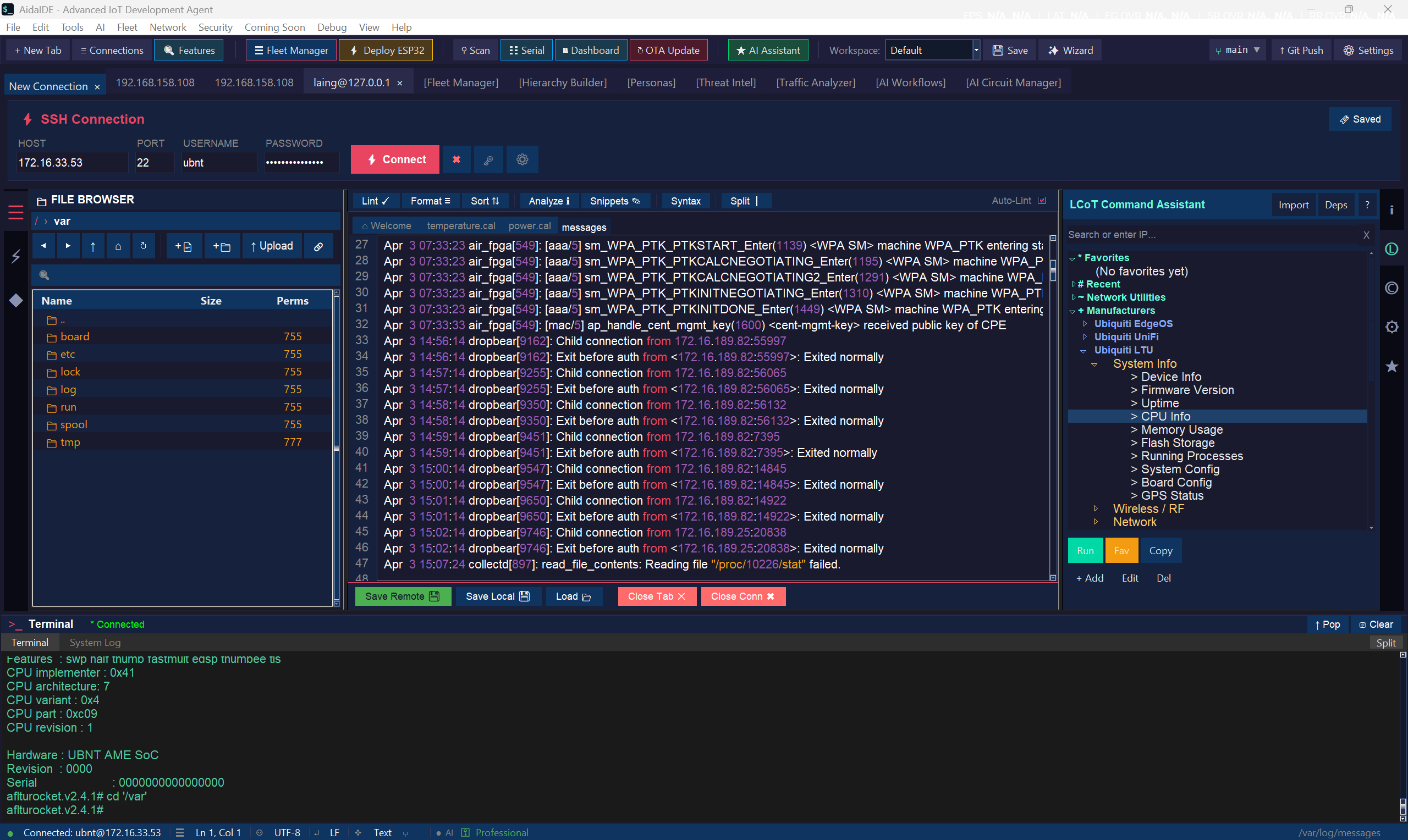
- Browse the host in a dual-pane file browser that shares your terminal's session (one login, from an encrypted vault).
- Open a file — syntax highlighting for 19+ languages. Save — it's on the server. Nothing to re-upload.
- The terminal is next to the file browser, so "edit config → restart service → tail log" is one window, not three apps.
Rule of thumb: one-off tweak → nano. Full dev project on one big server → VS Code Remote. Daily admin across several machines, or anything embedded → edit-in-place over SFTP.
AidaIDE is free forever — SSH, SFTP editing, vault, and fleet tools. No license key.
Sign Up Free — Download