A SecureCRT alternative for SSH + SFTP work
Short answer: keep SecureCRT if you already depend on its Python/VBScript/Perl scripting and a VanDyke support contract. Use AidaIDE if you want a free-forever SSH + SFTP workspace (Windows today) without per-seat cost for the basics. Use PuTTY for a portable terminal, MobaXterm for X11, Termius for mobile sync, Royal TSX for a multi-protocol connection manager. The honest head-to-head is AidaIDE vs SecureCRT.
SecureCRT earned its seat over decades of enterprise SSH. Most “alternative” lists either pretend a free terminal is the same product or ignore the scripting you would have to rewrite. Below is the field sorted by what you are actually trying to replace — license cost, files-plus-shell, or the script library.
Comparison
| Tool | Price | Host OS | Best for | Vs SecureCRT |
|---|---|---|---|---|
| SecureCRT | Commercial per-seat | Desktop (Win / Mac / Linux) | Mature session scripting + support | The baseline |
| AidaIDE | Free forever; Pro $19/$190; Teams Pro $70/$700 (5 seats) | Windows today; Mac / Linux in progress | SSH + SFTP + vault + LCOT + fleet | No per-seat for the workspace; weaker as a script clone |
| PuTTY | Free | Windows (+ ports) | Portable ~1 MB terminal | No tabs, no SFTP GUI, no scripting suite |
| MobaXterm | Free tier / paid | Windows | X11 + Unix toolbox | Home edition caps; not VanDyke scripts |
| Termius | Free tier / subscription | Win / Mac / Linux / mobile | Host sync on the phone | SFTP/teams behind paywall |
| Royal TSX | Paid | Multi-platform | Multi-protocol connection docs | Different job than a terminal+SFTP IDE |
How to choose in one line: if the pain is license cost + daily SFTP, try AidaIDE. If the pain is rewriting a working SecureCRT script library, keep SecureCRT.
When SecureCRT wins
- You have a library of Python, VBScript, or Perl session scripts and button bars that already work.
- Procurement already pays VanDyke and wants a named-vendor support contract.
- You need SecureCRT’s serial and terminal heritage as the center of the job.
- You need a shipping macOS or Linux client today from the same vendor family — AidaIDE’s other-OS builds are still in progress.
Those are real reasons. We do not ask you to throw the license away for a feature checklist.
What /vs/securecrt says, in short
The head-to-head is built for IoT/embedded fleet work, not a clone of VanDyke’s scripting IDE:
- SecureCRT: commercial SSH client, deep scripting, strong serial/terminal heritage. File transfer is often SecureFX — historically a separate product.
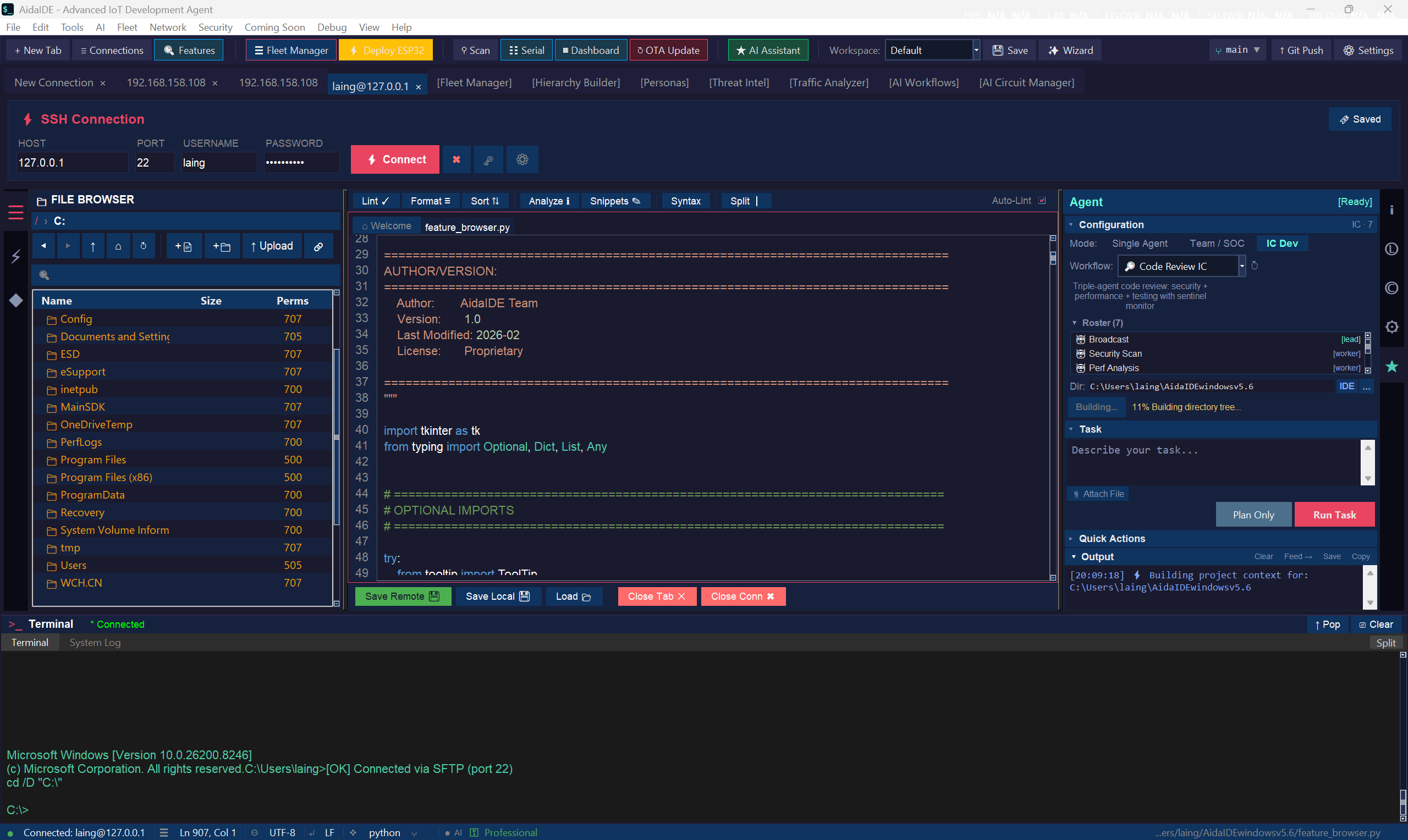
- AidaIDE: free-forever tabbed SSH + dual-pane SFTP with edit-in-place, serial in the same app, fleet OTA, Cloud Portal, optional Pro AI on session context.
- Run both: SecureCRT for legacy scripts; AidaIDE for daily SFTP/fleet benches.
Pricing FAQ
What is the best free SecureCRT alternative?
AidaIDE if you want SSH + SFTP + vault on Windows without a license key — create a free account to download. PuTTY if you only need a portable shell. Neither is a drop-in script runner for existing SecureCRT automations.
How does pricing compare?
SecureCRT is commercial per-seat. AidaIDE workspace is free forever. Pro is $19/mo or $190/yr. Teams Pro is $70/mo or $700/yr for 5 seats. Details: pricing.
Does AidaIDE run on Mac and Linux?
Windows today. macOS and Linux are in progress. SecureCRT already ships on those desktops — if that is the requirement, keep it (or use Termius / Royal TSX).
Can I keep both?
Yes. That is the usual honest setup while you migrate daily file+shell work and leave scripted sessions where they are.
Is there a SecureCRT alternative with SFTP built in?
AidaIDE (same session) and MobaXterm (side browser). See SSH client with SFTP and replace PuTTY + WinSCP.
Try the free-forever workspace
Keep SecureCRT where scripts win. Sign up free — download for Windows.
Sign Up Free — Download