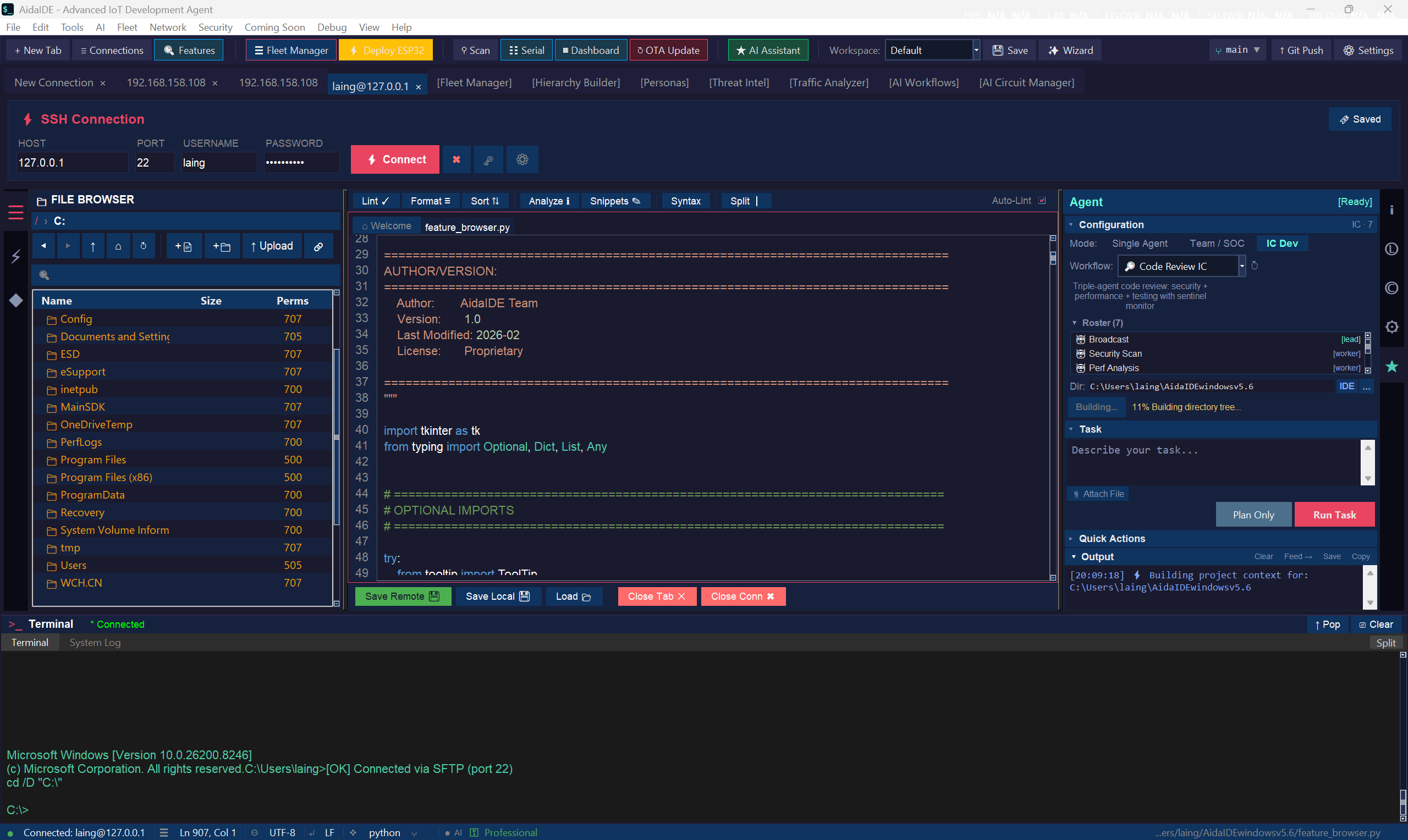
Real screenshot — tabbed SSH sessions, dual-pane SFTP, and the saved-sessions vault.
AidaIDE is a tabbed SSH/SFTP engine with jump hosts, session multiplexing, cloud tunneling for NAT-hidden devices, a dual-pane file manager, an encrypted saved-session vault, and LCOT that keeps your terminal and file browser in sync — for embedded, DevOps, and industrial fleets.
Everything you open five apps for — tabbed in one window, on the desktop, no cloud lock-in.
Paramiko-based, tabbed sessions with jump hosts, multiplexing, cloud tunneling for NAT-hidden devices, legacy-device fallback, and VNC/RDP/serial — all in one window.
It is SFTP, shown as a local/remote browser. Drag-drop both ways, in-place editing that writes back over the wire, multi-select, full keyboard nav. No WinSCP window.
Saved sessions live in an AES-256 vault — hosts, keys, jump chains, nothing in plaintext. LCOT keeps the terminal and file pane in sync: cd once, both follow.
Editing a config on a device shouldn't be worse than editing it locally.
Right-click a flagged line and take the fix: is compared against a literal becomes
==, an invalid escape gets its backslash doubled, an assertion written as a tuple
(which always passes) becomes a real assert test, message. One click clears every
instance the linter flagged.
Ctrl+J joins the next line up, or collapses a multi-line selection. Ctrl+Enter and Ctrl+Shift+Enter open a fresh indent-matched line below or above without splitting the one you're on — the VS Code behaviour, on the remote file.
Run the file you're editing on a simulated board and watch it replay on a live pinout, in the sidebar. The board picker is shared with the linter and completions, so all three agree on the hardware you're targeting. Hardware Lab →
Real screenshot — tabbed SSH sessions, dual-pane SFTP, and the saved-sessions vault.
The full IDE and complete SSH/SFTP engine are free. No license key, no trial clock.
Free forever — the full IDE and SSH/SFTP engine, no license key. Pro is $19/mo when you want the AI suite.
1.0.0-rc19 · Windows primary · macOS & Linux in progress · Linux (experimental source tarball) available to try · read the docs · compare plans